About Me
CV here
Twitter: toninikkanen
Flickr:toninikkanen
talk.maemo.org: toninikkanen
My pictures
Recent Entries
- THE BLOG HAS MOVED
- Sunday, April 7 2013
- Windows Phone 7.x backup files
- Tuesday, February 19 2013
- Qt on Windows 8 Metro (updated x2)
- Tuesday, April 10 2012
- Running Mac OS X on a Olympus E-P2 digital camera
- Sunday, April 1 2012
- Amazon Kindle Fire first impressions
- Wednesday, November 30 2011
- Qt Dev Days 2011, Munich
- Thursday, November 17 2011
- N950 Firmware Beta 2 (34-2) comments
- Friday, September 23 2011
- Nokia N950 arrived!
- Wednesday, July 13 2011
- A couple of words on the Nokia Windows Phone strategy
- Sunday, February 13 2011
- Dublin
- Wednesday, December 1 2010
- What Is My Idea of Tomorrow?
- Monday, August 16 2010
- Speed up of package (re)building in Scratchbox
- Thursday, April 22 2010
- N900 running on Mac OS X
- Thursday, April 1 2010
- Bjarne Stroustrup, the creator of C++
- Sunday, March 21 2010
- Bochs PC emulator packaged for N900
- Saturday, March 13 2010
Sunday, April 7. 2013
THE BLOG HAS MOVED
Tuesday, February 19. 2013
Windows Phone 7.x backup files
Tuesday, April 10. 2012
Qt on Windows 8 Metro (updated x2)
This is a journal of my adventures trying to build and use Qt for apps running on Windows 8 Metro tablet. It's going to be long, rambling and full of randomness, but also maybe with some useful info or nuggets for anyone trying to do the same.. Read on for more. This story gets updated as the story unfolds!
Last updated: 24.7.2012
 |
 |
Continue reading "Qt on Windows 8 Metro (updated x2)"
Sunday, April 1. 2012
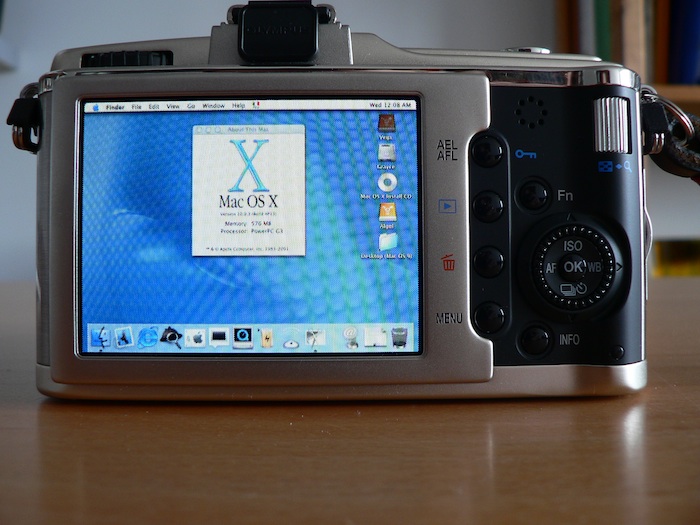
Running Mac OS X on a Olympus E-P2 digital camera
Yes, this was an April Fool's story.. but, like all the good ones, this one is also possible if someone was crazy enough to do it!
I was the first to run the full-blown version of Mac OS X on a smartphone (The Nokia N900), not even Apple did it before me. But I thought, why stop there? I've spent the last few weeks digging into the firmware and hardware of my digital camera, the Olympus E-P2 Micro Four Thirds camera body. As you know, digital cameras these days are pretty powerful machines, with plenty of RAM and storage space (in the form of a memory card) - you can get tens of gigabytes of storage with these things. And the display resolutions are nearing the level of yesterday's desktop computers.
Continue reading "Running Mac OS X on a Olympus E-P2 digital camera"
Wednesday, November 30. 2011
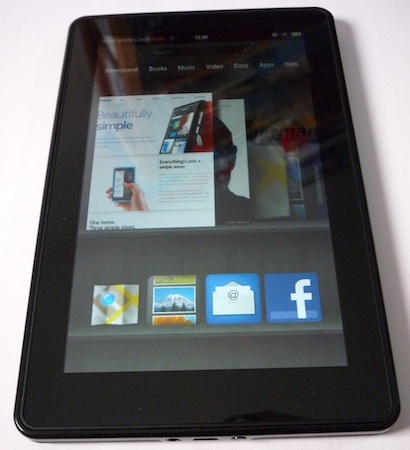
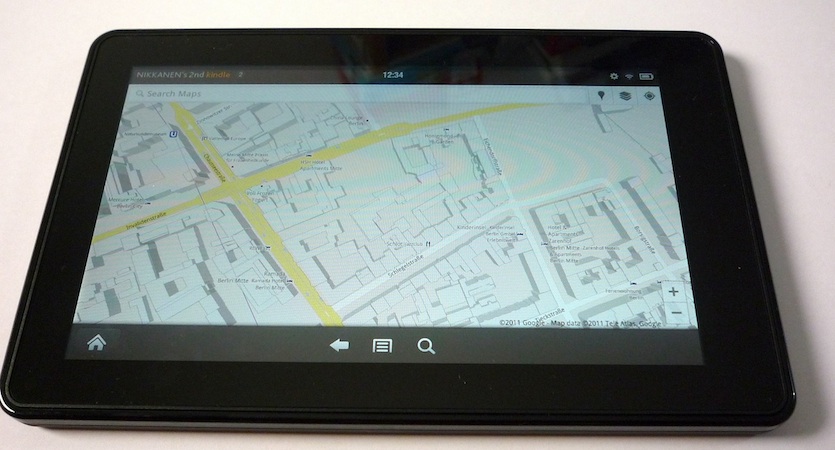
Amazon Kindle Fire first impressions
Amazon Kindle Fire from an European perspective
I've been interested in tablet devices for years (Maemo devices, anyone?), even before the iPad created the current tablet market. However as smartphones became increasingly more powerful and meanwhile I got myself a really light laptop (MacBook Air), even though devices like the iPad and some of the more serious competing offerings are undeniably very well implemented, amazing devices, I simply didn't see the need for those. On the other hand, I'm almost always carrying the ultralight Amazon Kindle WiFi e-book reader with me on travels, and often it also lives inside my coat pocket.
When the Amazon Kindle Fire was announced along with a cheap price tag and a size mostly comparable with the Kindle WiFi, I wanted to find out how useful it is and how well does it really work. I also knew that content services (books, magazines, videos, music, apps) are the main selling point for the device, and being an European - Finnish, currently living in Germany - I would probably be missing out on a lot, at least initially.
In this article I've collected my initial experiences, and I will continue to update this as I discover more, or as the Amazon offering gets updated.
Last Updated: 14th February 2012
Continue reading "Amazon Kindle Fire first impressions"
Thursday, November 17. 2011
Qt Dev Days 2011, Munich
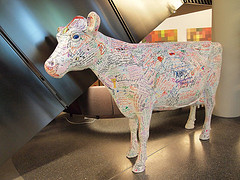
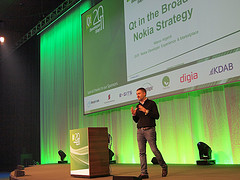
Hi all, I wrote a short piece on Qt Developer Days 2011 (Munich), you can read it on my company's blog:
http://whatsyourideaoftomorrow.blogspot.com/2011/11/qt-developer-days-in-munich-nov15.html
I took some pics there as well, with my new-old Olympus E-p1 digital camera. Too bad the LCD screen broke during the flight, so framing the shots was "challenging". I managed quite well anyway, but I wasn't able to use my über oldie manual focus Canon 50/1.2 lens for Leica Screw Mount that I was planning to use, alas. The pics are on Flickr:
http://www.flickr.com/photos/32856926@N06/sets/72157628014737024/
Friday, September 23. 2011
N950 Firmware Beta 2 (34-2) comments
A few days ago Nokia released the long-awaited first firmware update for the N950 at:
As Tuesday and Wednesday were such busy days for me, I didn't want to risk bricking my phone. But today I bit the bullet and installed the upgrade, making sure to take backups first of course. Some random experiences, I will update this as I encounter more:
- Generally the device responsiveness is lots better - scrolling is smoother, there are less delays etc. Feels very good now.
- I restored backups. Upon completion it said something about not being able to restore everything, but then rebooted faster than I could read the notification.
- To restore backups, I had to copy my backup file from my PC via USB, then manually move it from /home/user/MyDocs/Backup0 to /home/user/MyDocs/.backups so that the Backup application was able to see it.
- After reboot, all Contacts were missing in Contacts app. However executing "tracker-search -c" on the command line revealed I do have some contacts. After waiting for a while, a part of my contacts started appearing in Contacts app. A few minutes later, they were all there - so if you're worried you lost your contacts, just wait.
- There is now an official Twitter app and Twitter feeds show up in the feeds page
- The famous swipe downwards to close an app gesture can now be enabled from Display settings.
- There's a SIM menu (or what you call it) thats shows my operator's services that are on my SIM
- Feeds view can show weather as well. Default is Helsinki, Finland for some reason

- There is Angry Birds, and it works very fast and smoothly, much better than on WinPhones for example!
- Developer mode now has to be separately enabled in settings, but after you do it, Terminal and the usual goodness reappears
- Markings on "Developer Edition" are gone
- Ovi Store app no longer crashes all the time, and there is Ovi Music.
- Upon starting Maps, it asks me for an username and password. It doesn't say what service they are for, but I assumed it's the Nokia ID, which was correct.
- There is a WiFi Hotspot app, which is very welcome!
- Terminal app has gained new features, an ability to switch between an Shell and Arrows toolbar with the swipe gesture among them
Dealing with duplicated contacts on the N950/N9
I had problems with duplicated contacts. I tried a couple of different solutions, but the one that worked was: export all contacts as vcard files (.VCF). Then delete all your contacts in the contacts app. After that, you can delete .VCF files that match the pattern (?).VCF (because duplicate contacts will be dumped with file names like JANEDOE.VCF, JANEDOE(2).VCF, JANEDOE(3).VCf etc.) and finally, re-import these VCF files using vcardconverter. Watch out, vcardconverter will fail if you have "funny characters" in filenames, so it's a good idea to wrap it around in a for statement, something like this: for i in .VCF;do cp $i tmp.vcf;vcardconverter tmp.vcf;done;rm tmp.vcf.
Wednesday, July 13. 2011
Nokia N950 arrived!
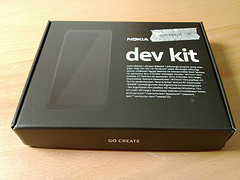
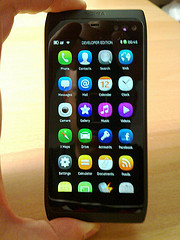
The N950 "dev kit" device arrived!
I'm super-busy during the whole week, but I did manage to get some Nokia N950 unboxing photos taken, and I've made it my primary device right away, so I will find out all the good and the bad that there is to find soon enough. Maybe I'll write more during the weekend, but now, on to the unboxing pictures!
(Rest of the unboxing pics on Flickr: http://www.flickr.com/photos/32856926@N06/sets/72157627056484127/
Sunday, February 13. 2011
A couple of words on the Nokia Windows Phone strategy
On 11th of February 2011, Nokia's new CEO Stephen Elop dropped the bombshell that Nokia is switching to Windows Phone 7 as their only smartphone software platform. There are thousands of blog posts already covering this, so I am not going to write at length. I only have one point to make, which is:
Developers, developers, developers!
No, seriously. While I see the logic behind choosing WP7, and while I lament the minimized role of MeeGo in Nokia's future plans, I think that they missed one very important thing altogether. One they can still fix. I am talking about a migration plan for the current Symbian developers who have been told to use Qt/QML and have been doing so. When Nokia has completed the migration to WP7, the developers who have been writing apps using Qt/QML will have to throw all their code away and start from scratch, at which point many might choose a non-Nokia platform to target next, just as well. This is because (according to http://blog.qt.nokia.com/2011/02/12/nokia-new-strategic-direction-what-is-the-future-for-qt) there won't be an officially supported Qt for WP7 port.
And for Nokia WP7 devices, there will be far fewer apps available from day 0 if the Qt apps can't be easily brought over to the new platform, thus hurting WP7 as well as Symbian device sales.
Possible solution?
Now I am no expert on how the Microsoft .NET CLR exactly works, but with my limited understanding at least, I don't see why a Qt/C++ application couldn't be statically compiled into .NET code just like C# and all those other currently available languages are. A QML app would work with a 10-liner C++ loader that pulls in QtDeclarative to run the QML. So technically the idea of Qt Everywhere is just as sound as anywhere else, also this would bypass the perceived fragmentation problem as the target device wouldn't have to have any Qt stuff pre-installed for the app to work.
This is all I had to say for now. If someone convinces me I got it all wrong, I will update this post accordingly and be glad I was wrong (for once 
Update1: Waiting to see what this comment from Elop's MWC 2011 talk will mean in practical terms: "The question is, what do we introduce into the Symbian environment to ease the transition to Windows Phone. So that's part of the mission that we're taking on now."
Update2: Forum Nokia's Vice President, Purnima Kochikar, clarifies the Feb11 message in this open letter to the developer community: http://blogs.forum.nokia.com/blog/nokia-developer-news/2011/03/25/open-letter-to-developer-community
While I appreciate his way of re-iterating what was said on Feb 11 (some people still didn't get the basic points of that day, such as, no they didn't stop making Symbian devices cold-turkey) and adding some details, I still don't see anything concrete for developers transitioning from Qt/Symbian to WP7. Maybe the answer will be the reverse of what I was thinking at first: Silverlight for Symbian?
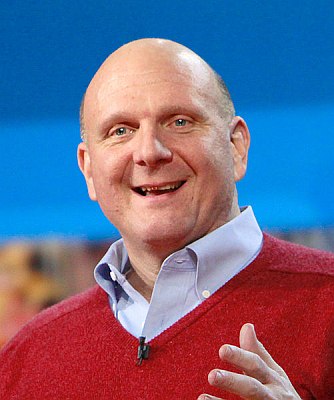
I couldn't resist putting Steve Ballmer here, sorry. Image courtesy of Wikimedia Commons.
Wednesday, December 1. 2010
Dublin
I've been very quiet on the blogging from because since August I have been getting married, quit my job, gone on a honeymoon trip around Australia, and moved to Berlin to work in a new job. Now that yesterday I got my ADSL set up I feel like writing some blog stuff again. I will be putting some MeeGo Conference 2010 / Dublin photos here soon, but first, please go and check out what I wrote about the MeeGo Conference on the Teleca "What Is Your Idea of Tomorrow" blog, parts 1, 2 and 3:
http://whatsyourideaoftomorrow.blogspot.com/2010/11/meego-conference-2010-dublin-part-1-nov.html
http://whatsyourideaoftomorrow.blogspot.com/2010/12/meego-conference-2010-dublin-part-2.html
http://whatsyourideaoftomorrow.blogspot.com/2010/12/meego-conference-2010-dublin-part-3.html
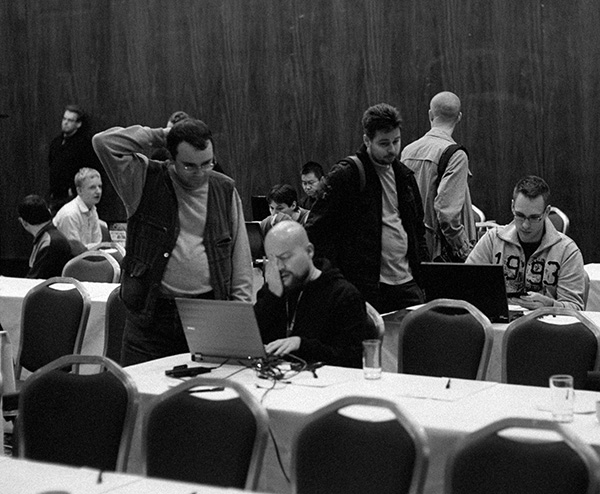
More pictures available now at my flickr account!
Monday, August 16. 2010
What Is My Idea of Tomorrow?
I have not written anything new here for almost 4 months. I have been very busy with various things such as getting married, planning a honeymoon trip and lastly, I am going to start a new job in Berlin, Germany in October! This means I won't be able to concentrate on blog writing for at least two more months. Except maybe, given sufficient connectivity, I will be able to post brief greetings from our Australia-Singapore honeymoon trip.
I will arrive back in Finland with my lovely wife on 6th of October and my new job in Germany starts 18th of October, so it's going to be interesting until everything settles down....
The topic of this blog post is a hint towards what company is my new employer
Lastly, I did manage to release a fixed version of Luxus light meter application for the N900. It took a while since my development machine's motherboard and PSU were fried a while ago, and it took some time to get the replacement components - see here: http://maemo.org/packages/view/luxus/
See you at the Meego Conference in Dublin, November 2010!
Thursday, April 22. 2010
Speed up of package (re)building in Scratchbox
..or why/how to install and use CCache 3.0pre0 in Scratchbox
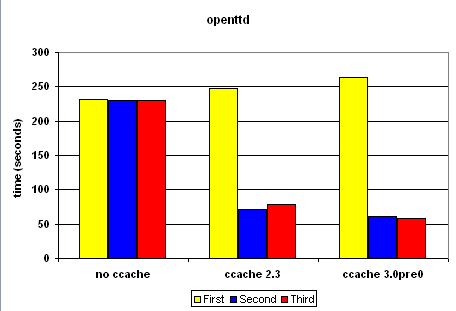
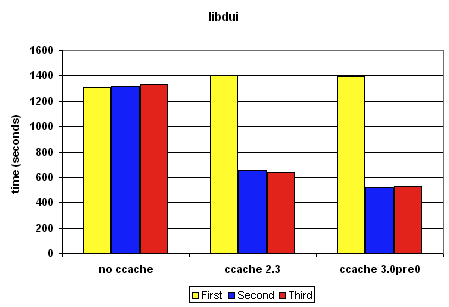
A few days ago, I was building and rebuilding a Debian package in Scratchbox to see if it builds, installs and works properly after my modifications. To make sure it works, I had to do a full dpkg-buildpackage -rfakeroot rebuild, which of course does a full clean every time. Each rebuild took 10 minutes, and I started wondering how to make it go faster.
Exec summary
Use ccache 3.0 and make sure your regular build does not use compiler options incompatible with ccache! Read on for details.
|
|
|
 |
Continue reading "Speed up of package (re)building in Scratchbox"
Thursday, April 1. 2010
N900 running on Mac OS X
A while ago I experimented running various operating systems on the Nokia N900. Now with the availability of N900 hardware emulation in QEMU (see http://wiki.meego.com/ARM/Meego_on_Qemu ) I decided to try this the other way around. The result: Regular N900 Maemo software straight out of the phone boots in QEMU, but no GUI since there is no SGX graphics emulation in the Maemo QEMU yet.
(in soviet Russia, the computer boots YOU)
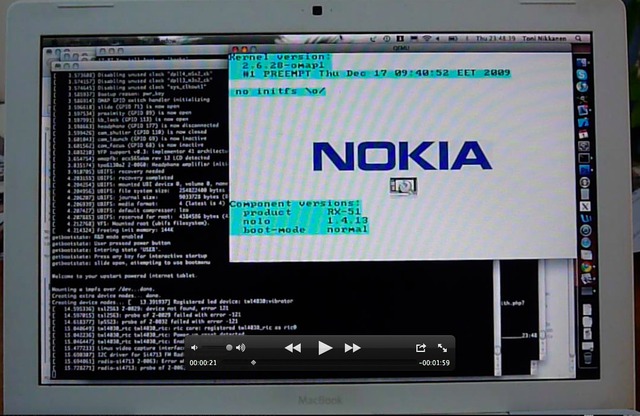
Continue reading "N900 running on Mac OS X "
Sunday, March 21. 2010
Bjarne Stroustrup, the creator of C++
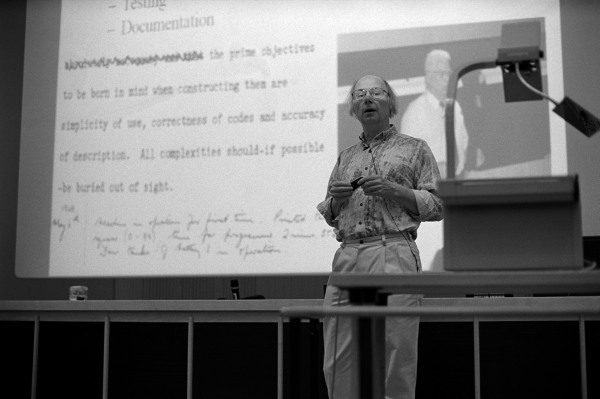
I attended a presentation given by Bjarne Stroustrup in Otaniemi, Espoo, Finland 18.3.2010. Bjarne was very down to earth and seemed to understand both the needs of the average C++ developer, and to have a very good idea on what is C++'s place in the modern world of programming. I was very inspired by all the new features of the soon-to-be finalized c++0x standard and I'm going to write about my thoughts on some of them soonish, so check back on this article in a few days if interested!
I took some pics of Bjarne, you can see them following the link below:
http://www.flickr.com/photos/32856926@N06/sets/72157623541450607/
Saturday, March 13. 2010
Bochs PC emulator packaged for N900
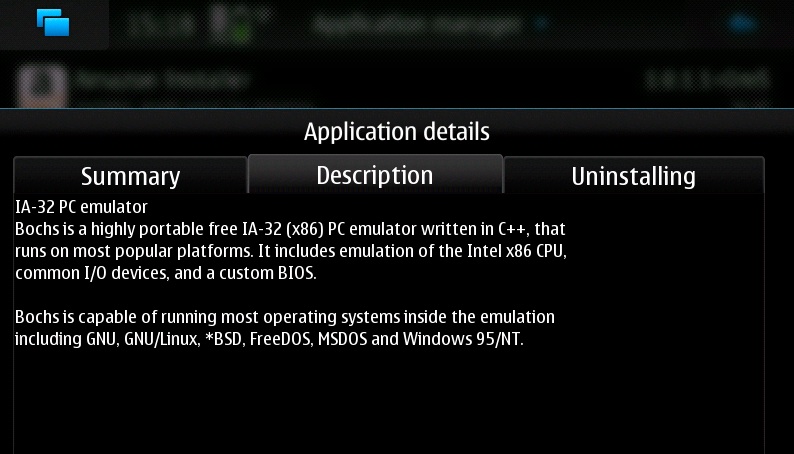
People have asked me to package the Bochs IA-32 PC emulator that I used for running Windows NT 4.0, and today I've done it. It is available from the Fremantle extras-devel repository: http://maemo.org/packages/view/bochs/
I have configured the package in the way that I found works best on the N900 and included a sample config file that works for running NT 4.0, as a starting point for others. Also the version is 2.3.7 and not the latest, since in my experience 2.3.7 was the most stable on the N900 - this might of course change or have already changed.
Continue reading "Bochs PC emulator packaged for N900"
Thursday, March 11. 2010
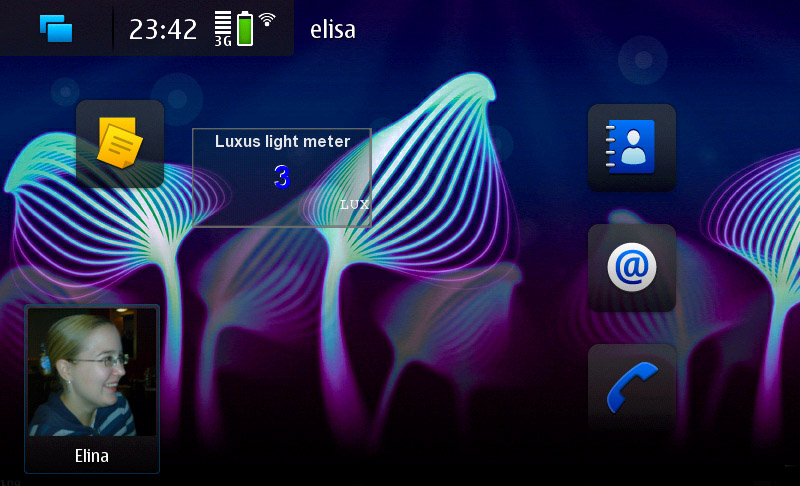
Luxus Light Meter v0.2 for N900, as a real homescreen widget
A while ago, Qt Software released some helpful software and instructions on how to make real homescreen widgets on the N900 using Qt 4.6. As I had already previously implemented my Luxus light meter widget as a sort-of homescreen widget - as part of an experiment if it's possible to do a Qt app for N900 from scratch in one day and get it published too - I was of course intrigued in finding out how easy it would be to enable it as a full-blown homescreen widget. It turned out to be pretty easy!
Continue reading "Luxus Light Meter v0.2 for N900, as a real homescreen widget"
Sunday, January 31. 2010
Mac OS X 10.3 running on the N900!
Sunday, January 24. 2010
Luxus light meter desktop widget for N900
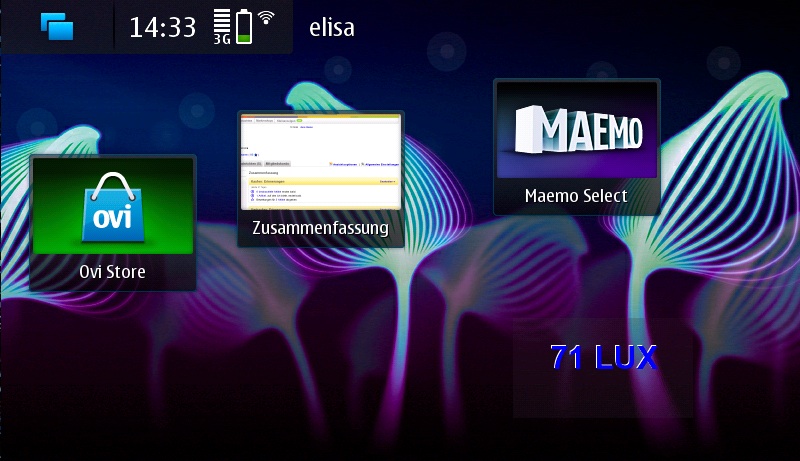
I thought to give it a try if one could make a Maemo 5/N900 app from scratch, and publish it on the Maemo.org extras-devel repository, all in just one day. Well, it was possible! The result is the Luxus 0.1 light meter desktop widget, and you can get it from extras-devel today.
Continue reading "Luxus light meter desktop widget for N900"
Friday, January 22. 2010
Maemo Community flyer
Sunday, January 3. 2010
How to install ScummVM in N900
Monday, November 30. 2009
Windows NT 4.0 running on N900!
It was only a matter of time, after I got the Bochs PC emulator working on N900, I just had to try how slow Windows NT 4.0 would be inside it I'll post further details of how exactly I did it later, but for now, here it is:
Thursday, November 26. 2009
Some N900 tips
Monday, November 16. 2009
Faster version of running Windows 3.11 on N900
Monday, October 26. 2009
Windows 3.11 running on the N900 :)
Saturday, October 24. 2009
ScummVM for N900 / Fremantle updated!
Just a quick note, i have released ScummVM 1.0.0-rc1-fremantle3 containing the following enhancements:
- full-screen mode can be entered and left with ctrl-f.
- Global menu can be entered with ctrl-s
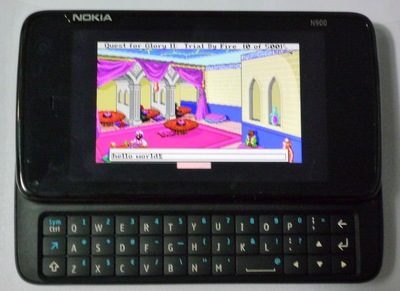
- SCI games have been enabled. A brief test with Larry 6 and Quest for Glory 2 seemed promising!
Download it here: http://www.tuug.fi/~toni/blogitems/packages/scummvm_1.0.0~rc1-fremantle3_armel.deb
Download the patch against ScummVM 1.0.0rc1 hereScreenshot with Quest for Glory 2:
Things TODO left:
- Come up with new keypresses for the essential features like saving and loading game
- Upload the binary package to maemo.org Downloads and fremantle repositories
- Submit things to the mainstream project in case I actually do any production-quality code changes, instead of random hacking around (though I'm not hiding anything, all my stuff is available upon request if someone really wants.)
- Try to get the screen centered (already happens in fullscreen)
- Display the mouse cursor (actually already seems to happen in AGI games like Larry 1)
